A Coding-Agent-Friendly Environment Is Friendly to Humans Too: ghq × gwq × fzf
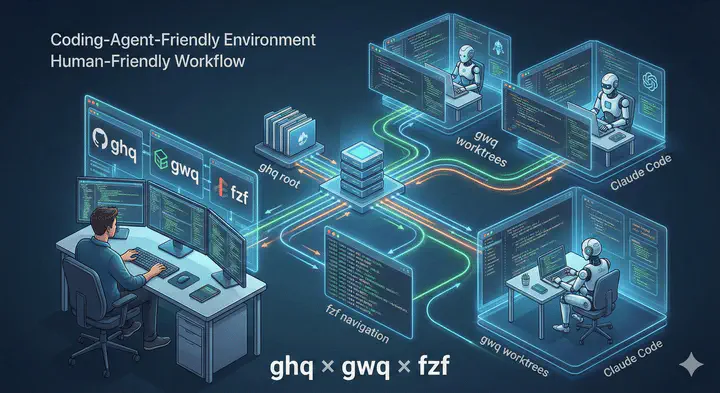
As your number of repositories grows through git clone, for both work and personal projects, it becomes harder to remember where you cloned things and which directory you’re currently working in. You end up wasting time on cd and shell completion. On top of that, once you start creating branches for development or checking out other branches to review Pull Requests, the overhead of switching branches and managing stashes just keeps increasing. I often mess up branch switches, run into conflicts, or almost lose my changes.
These problems become even more visible once you start using coding agents like Claude Code or Codex. The more tasks you run in parallel, the more likely things are to collide if you only have a single working directory. And of course, you want to unleash your coding agents as much as possible 😄.
In this article, I’ll show how combining the following three tools can significantly improve your daily development workflow. And yes—please do use coding agents.
- Use
ghqto standardize where repositories are cloned (so things don’t fall apart as they grow) - Use
gwqto make git worktree operations painless (parallel work becomes the default) - Use
fzfto minimize directory hopping (list → fuzzy search → instant jump)
Table of Contents
Why git worktree Works So Well with Coding Agents
git worktree allows you to have multiple working directories (worktrees) for a single repository. The official Git documentation clearly explains the distinction between the main worktree and linked worktrees, and recommends cleaning up unused linked worktrees with git worktree remove. 1
The reason this works so well with coding agents is simple: your workspaces are isolated.
- Task A progresses in worktree A
- Task B progresses in worktree B
- Even if you run agents for both, they’re not fighting over the same repository
Anthropic’s best practices also introduce workflows where multiple Claude sessions are run simultaneously using worktrees. 2
The Tooling Stack Used in This Article
ghq: Standardize Where You Clone Repositories
ghq is a CLI tool for organizing cloned repositories. Its philosophy is to place them under a common root using a structure like host/owner/repo.
With the ghq list command, you can see all repositories you’ve cloned locally. When combined with fzf (covered later), this becomes a powerful UI for jumping between repositories. The ghq list --full-path command outputs full paths and is also featured in the official ghq handbook as a common pattern to pair with fzf. 3
fzf: Turn Any List into a “Selectable UI”
fzf is a fast, interactive fuzzy finder that runs in the terminal. It takes input from stdin, filters it in real time, and lets you select items interactively.

gwq: Manage Worktrees “the ghq Way”
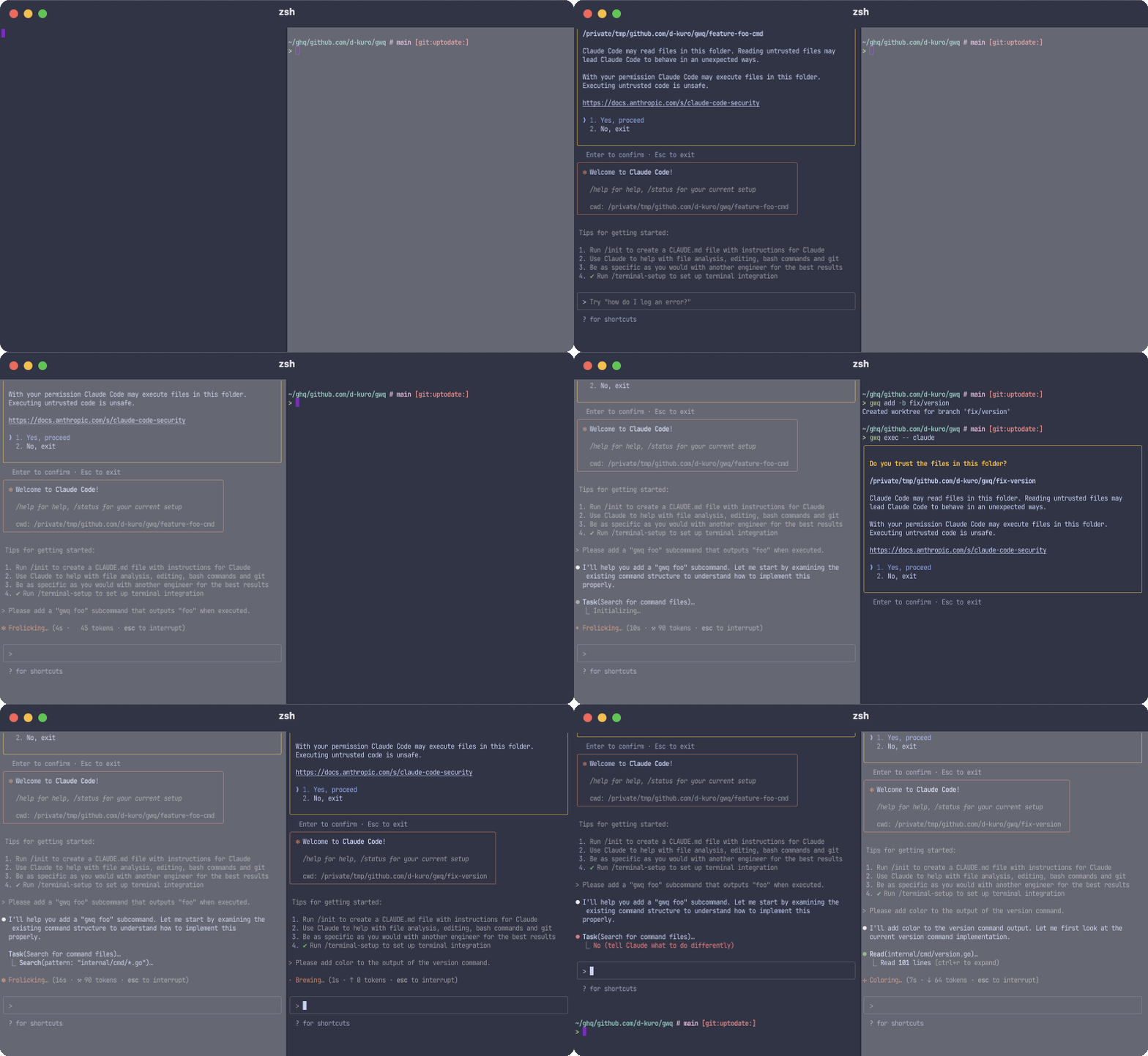
gwq is a CLI tool for efficiently managing git worktrees. Its README describes it as:
“Just like ghq manages clones, gwq manages worktrees.”
It’s designed around fuzzy-finder-driven workflows, making it easy to create, switch, and delete worktrees.
Unifying clone and worktree Under the Same Root
The key idea of this article is:
By placing both original repositories and git worktree directories under the same root (e.g.
~/ghq), you can target a single location withfzf, making navigation lightning-fast.
Below is a concrete setup.
Setup: Point Both ghq and gwq to ~/ghq
ghq: Fix the Root to ~/ghq
Configure ghq to use ~/ghq as its root. ghq reads this from git config.
[ghq]
  root = ~/ghq
With this setup, running ghq get github.com/owner/repo results in the following structure:
~/ghq/
  github.com/
    owner/
      repo/
gwq: Place Worktrees Under ~/ghq
gwq is configured via ~/.config/gwq/config.toml, where you can set worktree.basedir and naming.template.
[naming]
template = '{{.Host}}/{{.Owner}}/{{.Repository}}={{.Branch}}'

[worktree]
basedir = '~/ghq'
gwq supports template variables such as Host, Owner, Repository, and Branch, and even allows branch name sanitization. This is clearly documented in its README.
I personally use the format:
'{{.Host}}/{{.Owner}}/{{.Repository}}={{.Branch}}'
If you instead follow the gwq default and separate directories by {{.Branch}}, worktrees end up nested inside the ghq-cloned repository. That makes them harder to find via fzf, so be careful.
With the configuration above, running gwq add feature-branch produces something like:
~/ghq/
  github.com/shunk031/app                # original repo (ghq)
  github.com/shunk031/app=feature-auth   # worktree (gwq)
  github.com/shunk031/app=bugfix-login   # worktree (gwq)
  ...
  github.com/shunk031/infra              # another repo (ghq)
  github.com/shunk031/infra=refactor-tf  # worktree (gwq)
Creating a “Jump” Command: ghq + fzf
Since ghq list outputs all repositories, piping it into fzf instantly gives you a navigation UI. With ghq list --full-path, you can jump directly to any directory—almost instantly 🥰.
Here’s the command I personally use:
#!/usr/bin/env bash

function ghq-path() {
    ghq list --full-path | fzf
}

function dev() {
    local moveto
    moveto=$(ghq-path)
    cd "${moveto}" || exit 1

    # rename session if in tmux
    if [[ -n ${TMUX} ]]; then
        local repo_name
        repo_name="${moveto##*/}"

        tmux rename-session "${repo_name//./-}"
    fi
}
Running dev shows all repositories under ghq in fzf. Selecting one immediately cds into it. If you’re inside a tmux session, the session name is also updated to match the repository, making terminal navigation even smoother.
Summary: Centralize, Select, and Run in Parallel
In this article, we explored how combining ghq + gwq + fzf helps you organize cloned repositories, move between them instantly, and comfortably run coding agents in parallel.
ghqcentralizes your working directoriesgwqsimplifies worktree managementfzfenables fast, intuitive navigation
Together, these tools reduce confusion when juggling multiple tasks or coding agents at the same time—and significantly boost productivity. Give it a try!
-
Git - git-worktree Documentation https://git-scm.com/docs/git-worktree ↩︎
-
Claude Code Best Practices \ Anthropic https://www.anthropic.com/engineering/claude-code-best-practices#:~:text=c.%20Use%20git%20worktrees ↩︎
-
ghq-handbook/ja/05-command-list.md at master · Songmu/ghq-handbook https://github.com/Songmu/ghq-handbook/blob/master/ja/05-command-list.md ↩︎

北田 俊輔
Research Scientist working on Vision & Language with Deep Learning
My research interests include deep learning-based natural language processing, computer vision, medical image processing, and computational advertising.